
The warehouse record says ten boxes. The camera shows eight. Operational vision AI can flag that difference while someone is still at the rack, tell them which location to check and send the result back to the software that holds the record. That is the idea behind TIM INSPECT, Thread in Motion’s new software platform for factories and warehouses.
Watch for that moment in the TIM INSPECT launch film. The camera picks out location A-12-03, the overlay outlines the boxes, and the worker gets a message about the two-box difference. The scene illustrates why timing matters. With the order still in progress, someone can count the boxes again and check the entry. Once a shipment leaves, the same discrepancy raises a harder question about where the two boxes went.
How does operational vision AI turn an image into a check?
A camera can show a rack, a workbench or a loading gate. A useful check starts with a question about the work happening there. Does the visible quantity match the stock record? Has the operator completed the required step? Is a vehicle approaching a pedestrian? Each question calls for different evidence and a different response.
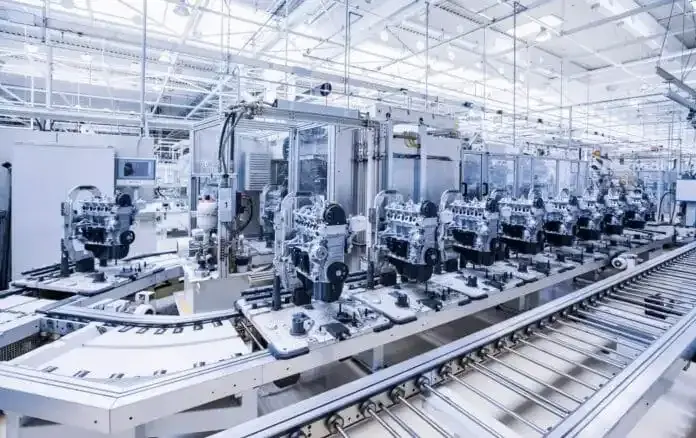
Take an assembly station. In the film, a worker sets a gasket in place. That movement looks ordinary on its own. The assembly sequence gives it meaning. The snap ring belongs in the housing first. TIM INSPECT identifies the skipped step and alerts the operator. The operator can check the part while it is still on the bench. Someone reviewing the work later can see which step triggered the alert.
That sequence also explains how the platform uses operational data. For a stock check, the expected quantity comes from the stock record. For assembly, it comes from the defined sequence. The camera supplies evidence of what happened. A useful result brings the expected and observed conditions together and identifies who can act on the difference.
What can teams check across a facility?
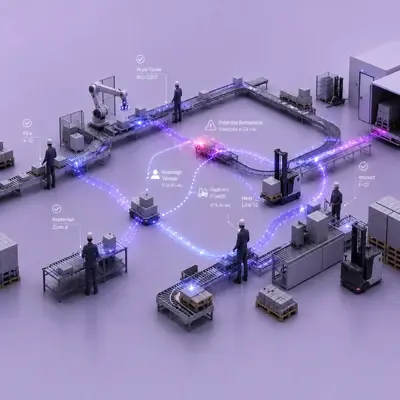
The launch film moves through quality, safety, efficiency and facility monitoring. Different teams can use the same platform while asking different questions.
- Quality. At a workstation, the question might be whether a component is in place or whether the operator followed the assembly sequence. The most useful alert identifies the part or step the operator should check.
- Safety. At a warehouse crossing, the relevant event is a forklift and a pedestrian moving close enough to warrant attention. The task is to recognize that situation and warn the people who can respond.
- Efficiency. On a line with several stations, a production lead may need to know where a cycle ran long. A record tied to the station helps the team find the moment to review with the operator.
- Facility monitoring. An obstructed exit calls for a different response from an assembly error. A useful record identifies the location so the person responsible for the area knows where to go.
Where does an alert go?
Start with the person who can still change the outcome. At a workbench, that is often the operator holding the part. In a warehouse, it may be the person counting the rack. Depending on the application, a screen, a sound or a wearable alert can draw attention to the check. The worker should be able to tell what needs a second look.
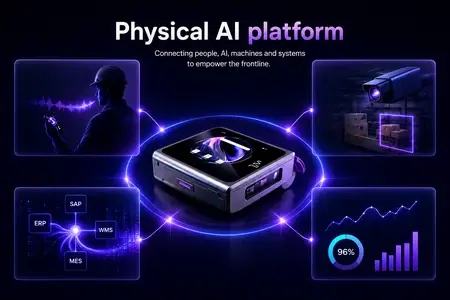
The event also has a destination after the immediate response. A warehouse team may need the result in its WMS. Manufacturing teams may use an MES for the production operation or SAP for the associated business record. The right destination depends on which system owns that step. Identifying it early helps avoid a mismatch between two records when the operator fixes the issue on the floor.
Can an existing camera see enough?
TIM INSPECT works with existing cameras. For a particular check, what matters is the view. A fixed camera at a gate may show each crate clearly as it passes. A camera looking down an assembly line might show the worker and the bench while the worker’s hands obscure a small component at the critical moment.
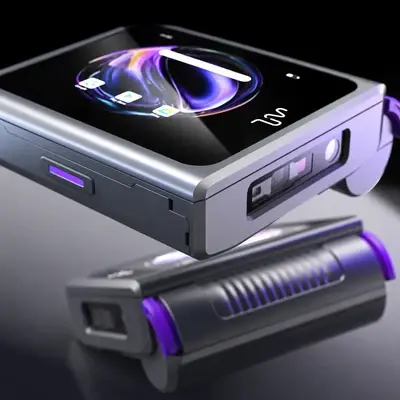
Review a sample from the actual station. Can someone looking at the image identify the part, location or event in question? Try the check with the workpiece in its usual position and again when the operator changes grip or stance. Where a fixed view misses the detail, a wearable device such as AXION can provide a closer view. TIM INSPECT can also work with VEGA-X as part of the operator’s workflow.
Where should a first deployment start?
Choose one decision that already has an owner. A team investigating repeated inventory differences might start with one rack and one count. An assembly team might choose one step that becomes difficult to inspect after the next component goes on.
Before choosing a camera position, ask the person doing the work to walk through a normal cycle and an exception. Agree on the observation that distinguishes the two, the moment when an alert would still help, who receives it and where the result should be recorded. The answers give the pilot a concrete test. During a real shift, can the worker identify the issue, act on it and find the outcome afterward?
Frequently asked questions
Does TIM INSPECT require a wearable device?
Wearables are optional. A fixed camera can support a check when its view captures the relevant detail. A wearable is useful when the best view moves with the worker or when the worker needs an alert at the point of work.
Can one platform support both manufacturing and warehousing?
Yes. Checking an assembly sequence and checking a stock count use different rules and records. Both connect a visible event to a decision that someone on the floor can act on.
Does a warning mean that a camera has established the cause?
A warning identifies the condition the application detected. In the rack example, the count and the record differ. A person can then investigate whether the stock moved, the entry is wrong or another count is needed.
Explore the applications and the workflow that fits your team on the TIM INSPECT product page.


