



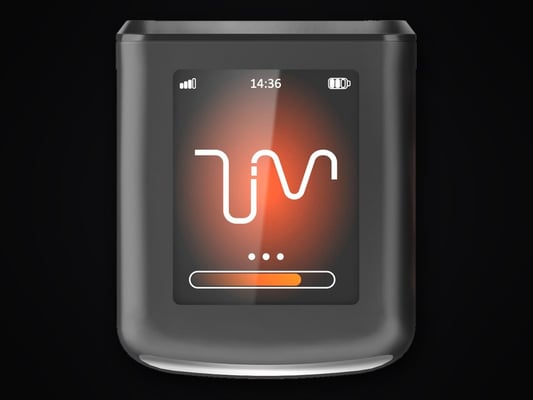
Scanner on the glove
VEGA-X
Every scan is both a transaction and an audit: bin, material and quantity are matched against the record on the spot. Hands stay free.
Explore VEGA-X

Bring AI to every frontline worker
Turn cameras into operational intelligence
Guide every task with real-time AI
Keep inventory and materials moving
Verify every action with confidence
Optimize every operation with AI
Precision on the assembly line
Speed and accuracy in fulfillment
Smarter production on the floor
Hands-free, faster warehouse flows
High-speed accuracy at scale
Safer, connected job sites
Reliable ground and MRO operations
Faster last-mile operations
Is the stock in your system actually on the shelf? TIM WMS checks barcode scans and camera counts against your stock record and flags each discrepancy the day it appears, with the likely cause and a confidence score. An authorized reviewer approves every adjustment.
Nothing to install: a short form (name, work email, company) opens the demo in your browser. · TIM Inventory is now TIM WMS.


The gap between stock records and what's actually on the shelf was closed, preventing inventory loss and shrinkage.
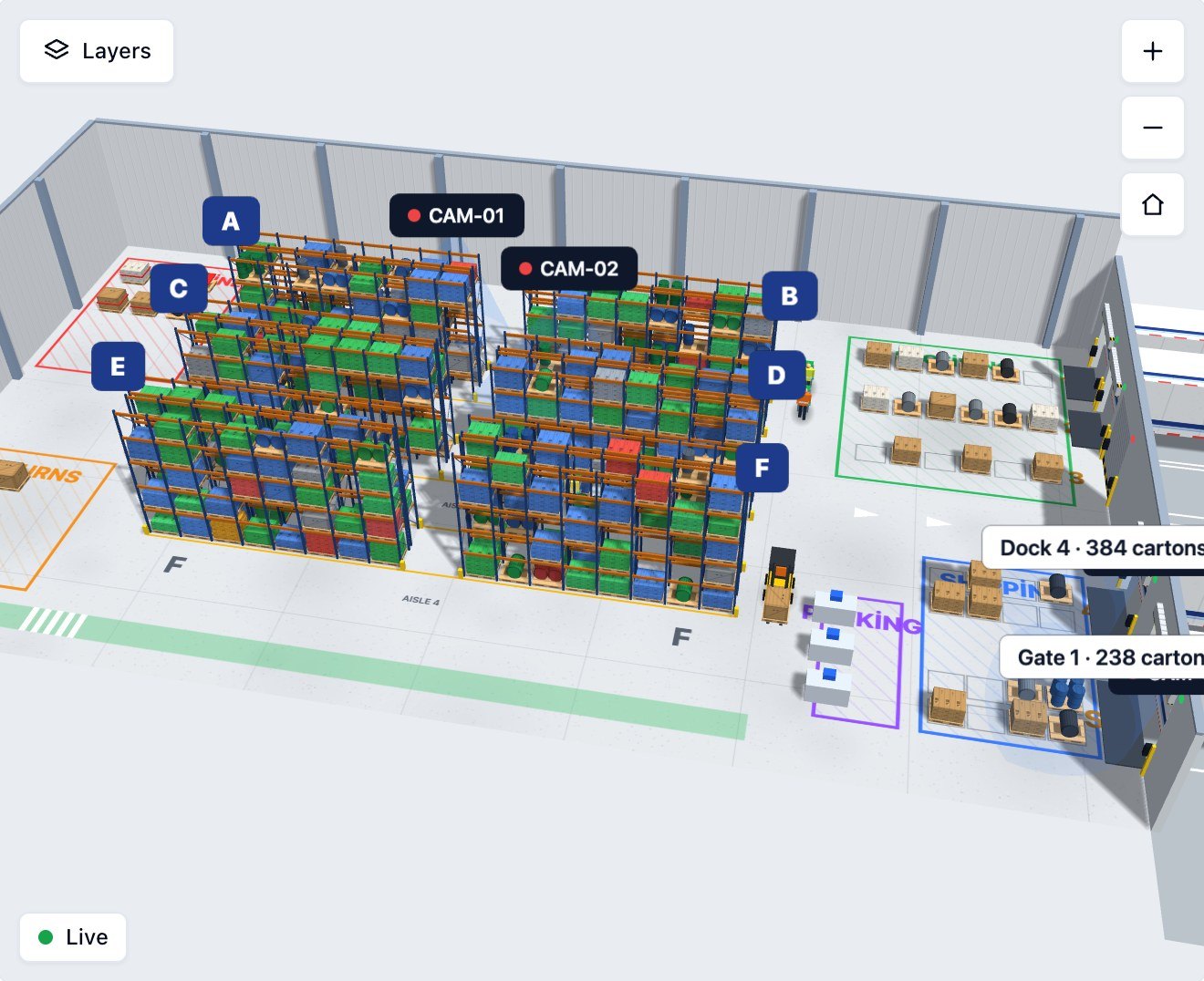
Real TIM WMS screens, running in your browser on a fictional but consistent warehouse. Use every module yourself, from goods receipt to shipping and from the 3D warehouse twin to an anomaly case.
The demo runs on fictional data; actions you take inside the demo aren't saved.
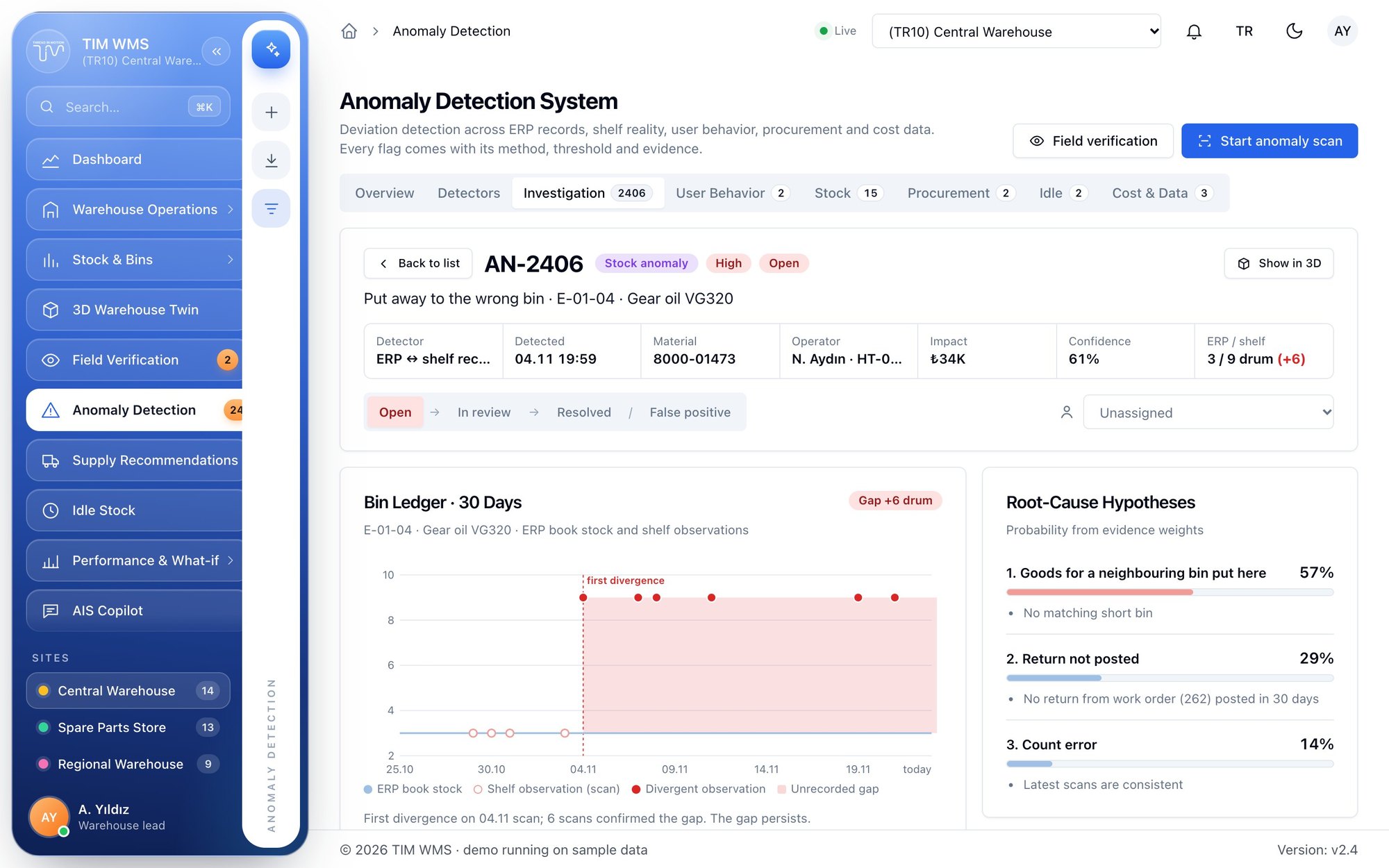
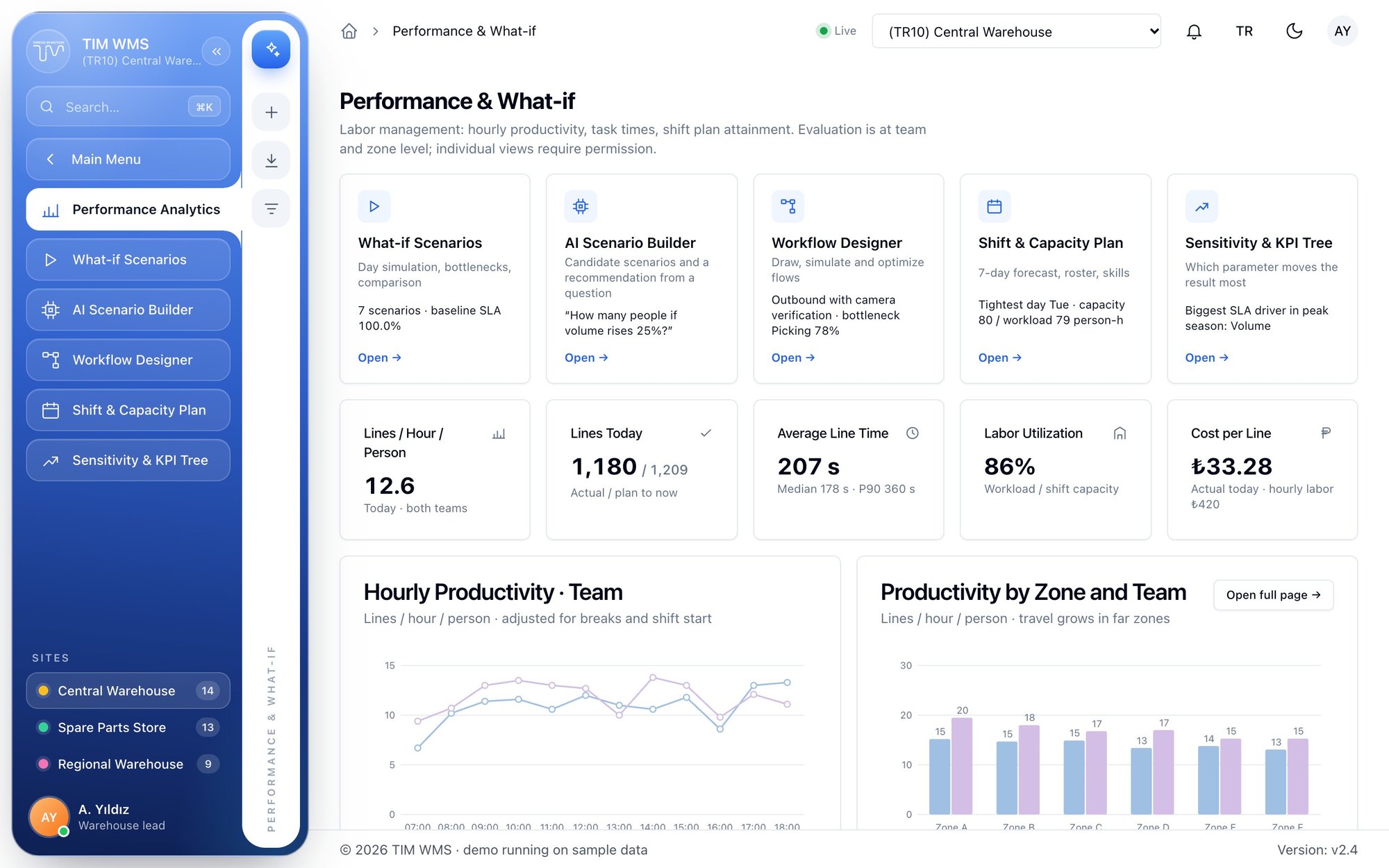
Verification comes from four sources, all tied to the same record. When the scan and the camera disagree, the system knows right away.
Every scan is both a transaction and an audit: bin, material and quantity are matched against the record on the spot. Hands stay free.
Explore VEGA-X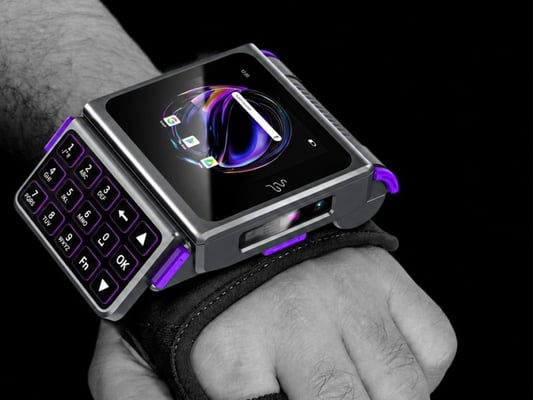
Shows the task on screen and takes voice confirmation. When a gap appears, it tells the worker what to do next.
Explore AXION
Android handhelds and pistol-grip scanners run the same verification flow, reading barcodes and labels with the camera.
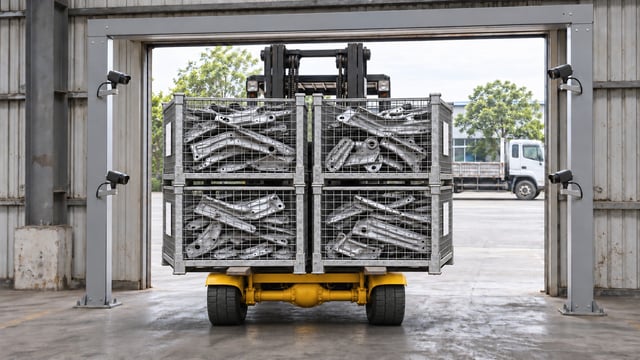
After the scan, it sees whether the hand took from the right bin and how many; it counts the pallet passing the door and reads its labels.
Explore TIM InspectIn a traditional system, scanning the barcode marks the item as picked. TIM WMS uses TIM Inspect cameras to follow what happens after the scan: did the hand reach the right bin, how many cartons were taken, what is on the pallet leaving through the door?
 Camera 1 · Rack A-07LIVE 09:41:02%96A-07-04A-07-05Taken: –
 Camera 2 · Dock door 4LIVEORD-L4471%94V-20012345Through door: –
| Time | Source | What it saw |
|---|---|---|
| 09:41:02 | VEGA-X | A-07-04 · 5 scans (task: 5 cartons) |
| 09:41:04 | Camera 1 | Hand reached bin A-07-04 |
| 09:41:31 | Camera 1 | Taken from shelf: 5 cartons |
| 09:46:12 | Camera 2 | Pallet through the door: 5 cartons, labels V-200 |
Pick and dispatch verified, line closed. | ||
| 09:41:02 | VEGA-X | A-07-04 · 6 scans (task: 6 cartons) |
| 09:41:04 | Camera 1 | Hand reached bin A-07-04 |
| 09:41:31 | Camera 1 | Taken from shelf: 5 cartons |
| 09:46:12 | Camera 2 | Pallet through the door: 5 cartons |
One carton was scanned twice: the system says 6, the camera saw 5. The pallet was held at the door and the task reopened for the missing carton. | ||
| 09:41:02 | VEGA-X | A-07-04 · 5 scans (task: 5 cartons) |
| 09:41:04 | Camera 1 | Hand reached bin A-07-05 |
| 09:41:31 | Camera 1 | Taken from shelf: 5 cartons |
| 09:46:12 | Camera 2 | Top carton label reads V-250 |
Wrong bin: one carton came from A-07-05. The pallet was held at the door and both bins were queued for a count. | ||
Play 30 days on the same bin with both systems. Drag the day or press play; compare what the system knows with what's actually on the shelf.
| Traditional WMS | TIM WMS | |
|---|---|---|
| Source of truth | Whatever was entered | Record, floor scans and cameras together |
| When does a gap show up? | At the period or year-end count | The day it happens, inside normal work |
| When a gap is found | Stock adjustment, cause unknown | Likely cause, evidence chain and confidence |
| What reports tell you | What happened | Why it happened and what to do now |
| How you use it | Menus, screens, Excel exports | Ask in plain language, get answers from your data |
| Your people on the floor | Look down at a handheld screen | Work hands-free with a wearable scanner |
How do these 30 days play out in your warehouse? Let's look at what TIM WMS would flag in your own data.
When an operator scans a material, TIM WMS doesn't just log the movement. It puts the bin record, the system figure and recent movements side by side. Stock accuracy is tested all day by ordinary work, without shutting the warehouse for a count.

Each step leaves data for the next. The AI recommends, an authorized person decides, and every approval lands in the audit trail.




VEGA-X, AXION or a handheld reads the barcode, QR code or label.
The movement is written to the ledger with bin, lot, serial and expiry.
The record is matched against system stock (and ERP, if connected), the expected document and movement history.
Rules and a statistical deviation model flag what is out of pattern.
Likely cause, evidence chain and confidence come together on one card.
A supervisor approves; the correction updates stock, and your ERP too if connected; the trail stays.
These are TIM WMS screens running on sample data. Pick a module, or let the tour play on its own.
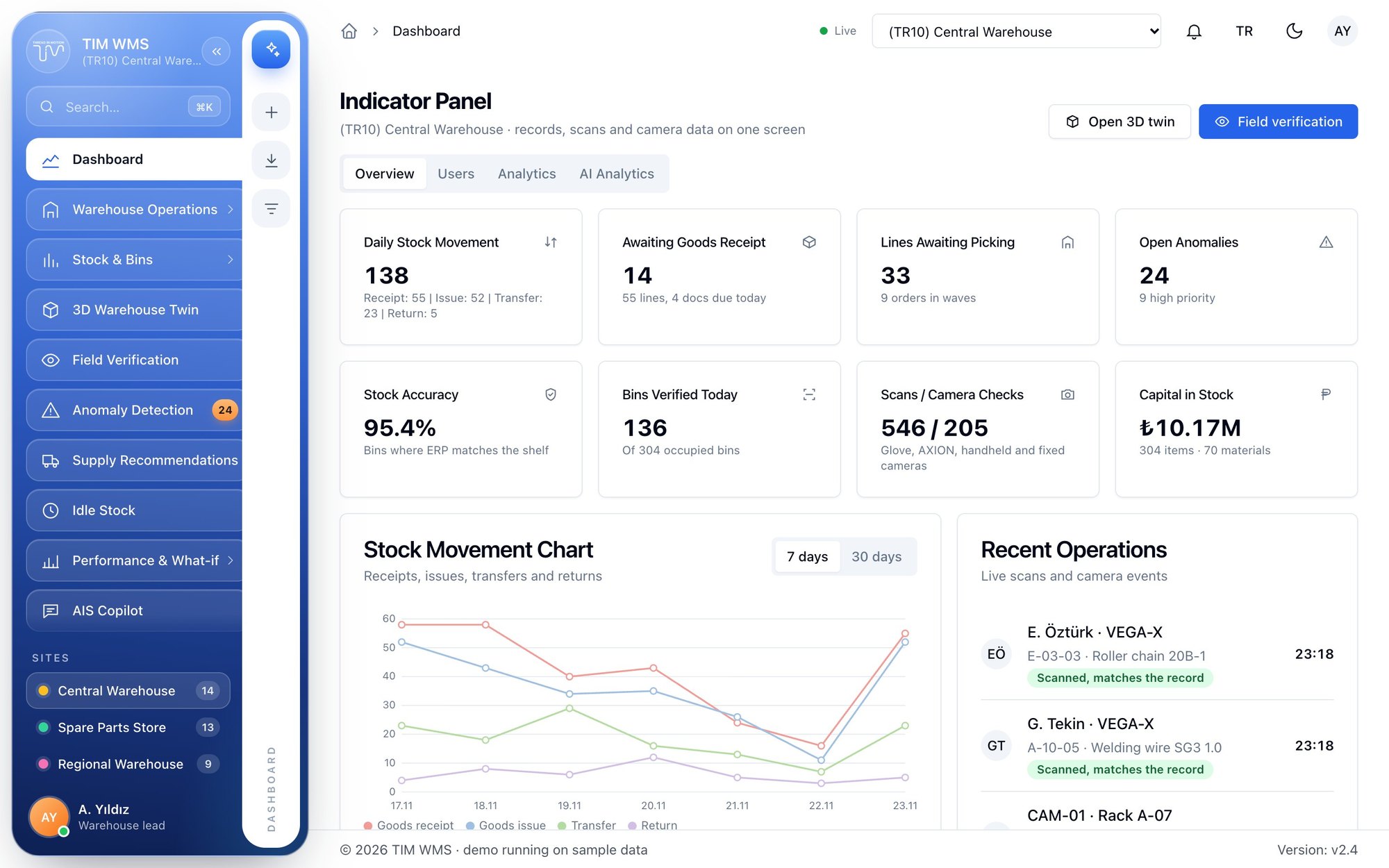
Indicator Panel. Daily stock movement, receipts and picks waiting, stock accuracy and the bins verified by a scan today, on one screen. Recent operations stream in live.
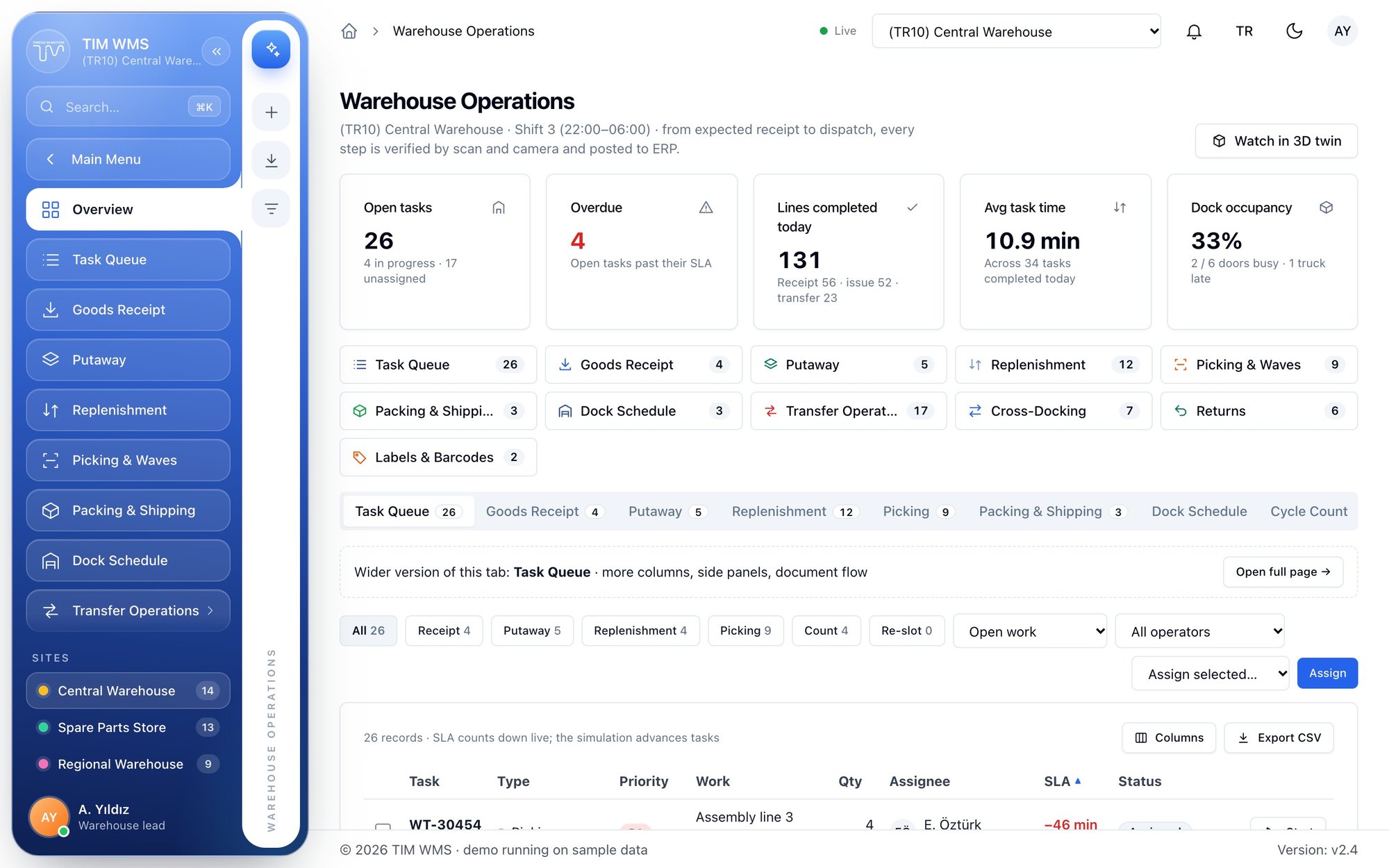
Task Queue. Every warehouse task in one queue: priority, SLA countdown, the assignee and their device (VEGA-X, AXION, handheld). Late work turns red; tasks can be assigned in bulk.
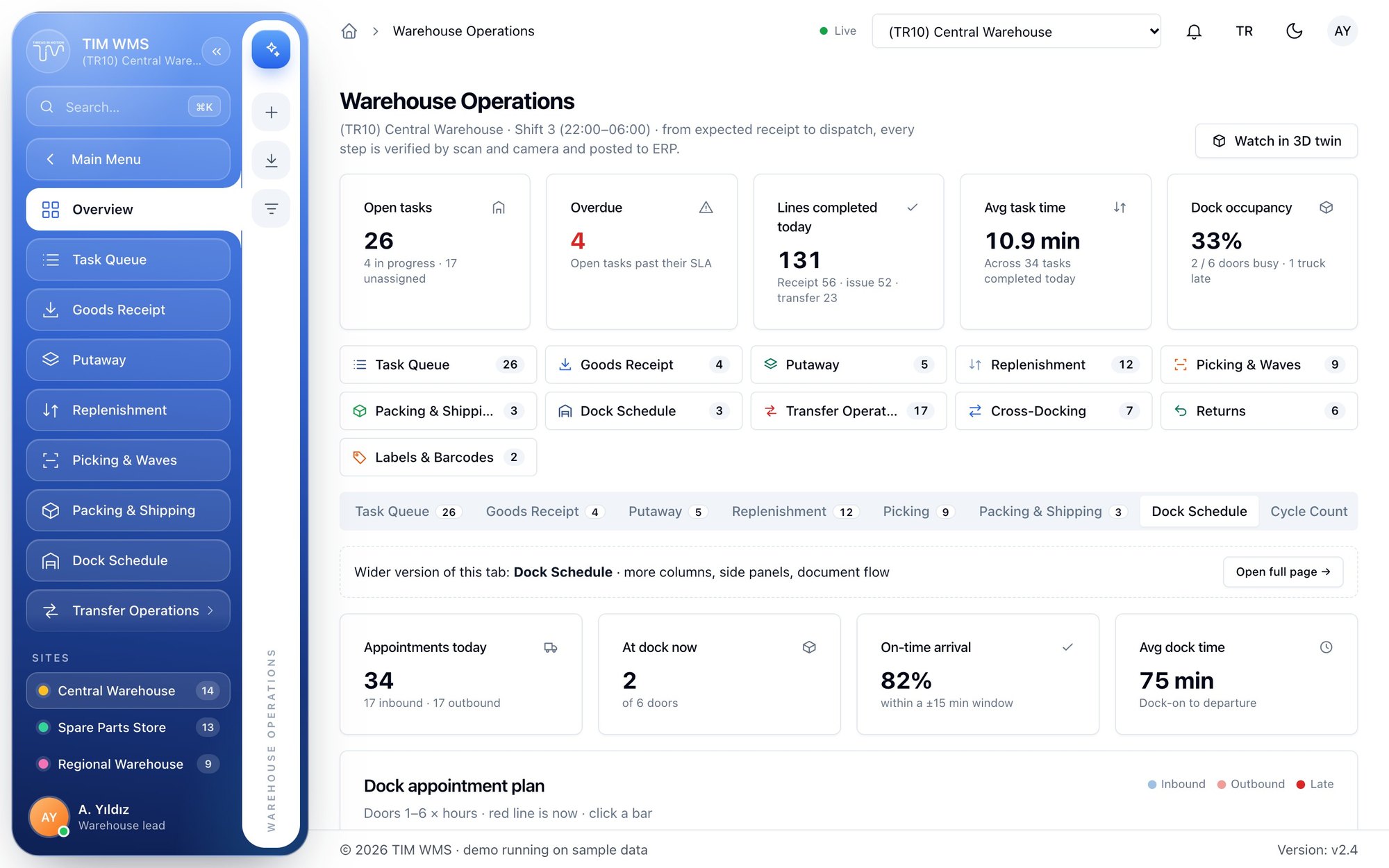
Dock Schedule. Inbound and outbound trucks are planned by door and hour. The now-line shows who is late, and the dock camera counts the cartons that pass the door.
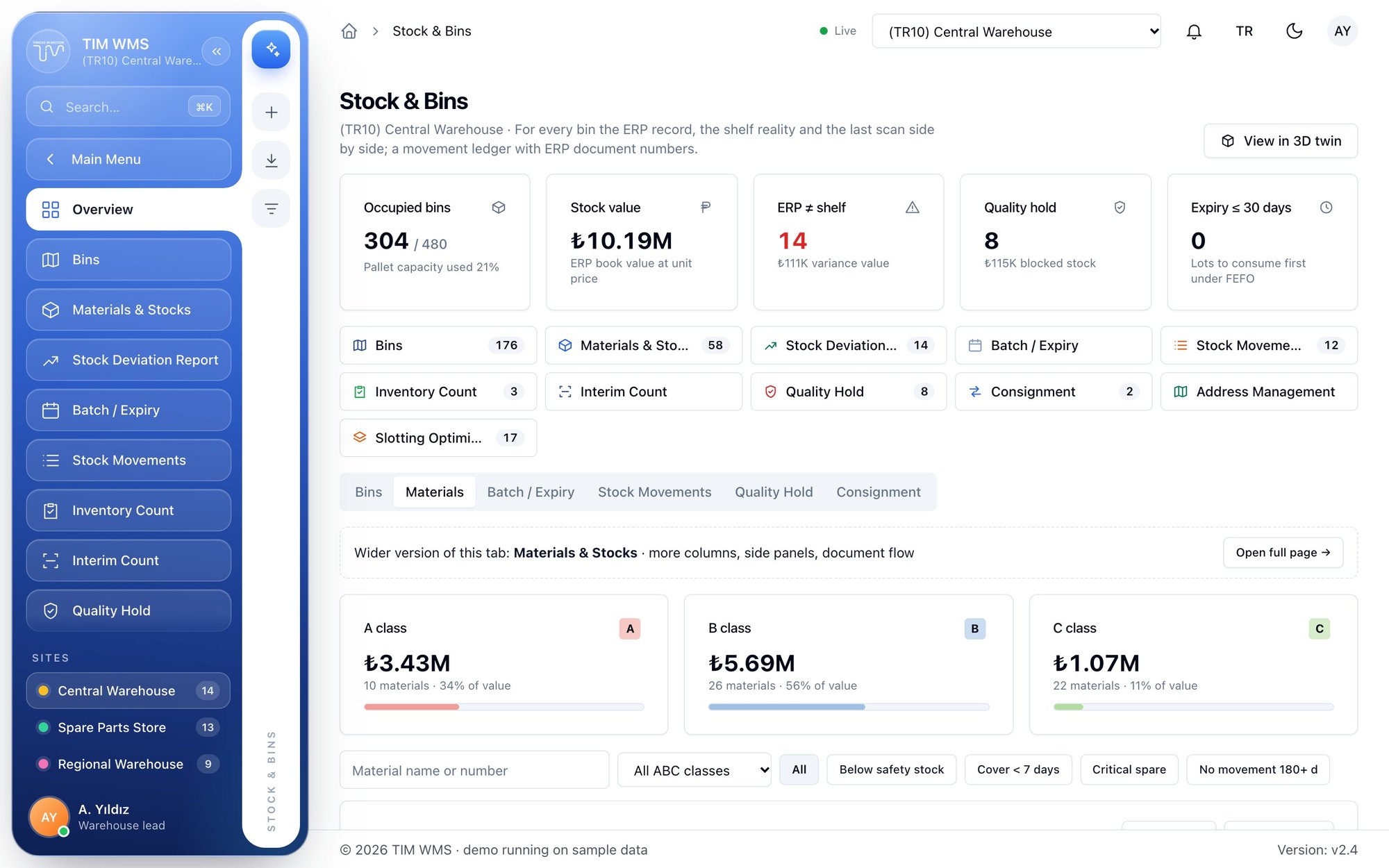
Materials & Stock. System stock, reserved and available quantity, safety stock, days of cover and turnover for every material. Batches and expiry, the movement ledger and quality holds sit in their own tabs.
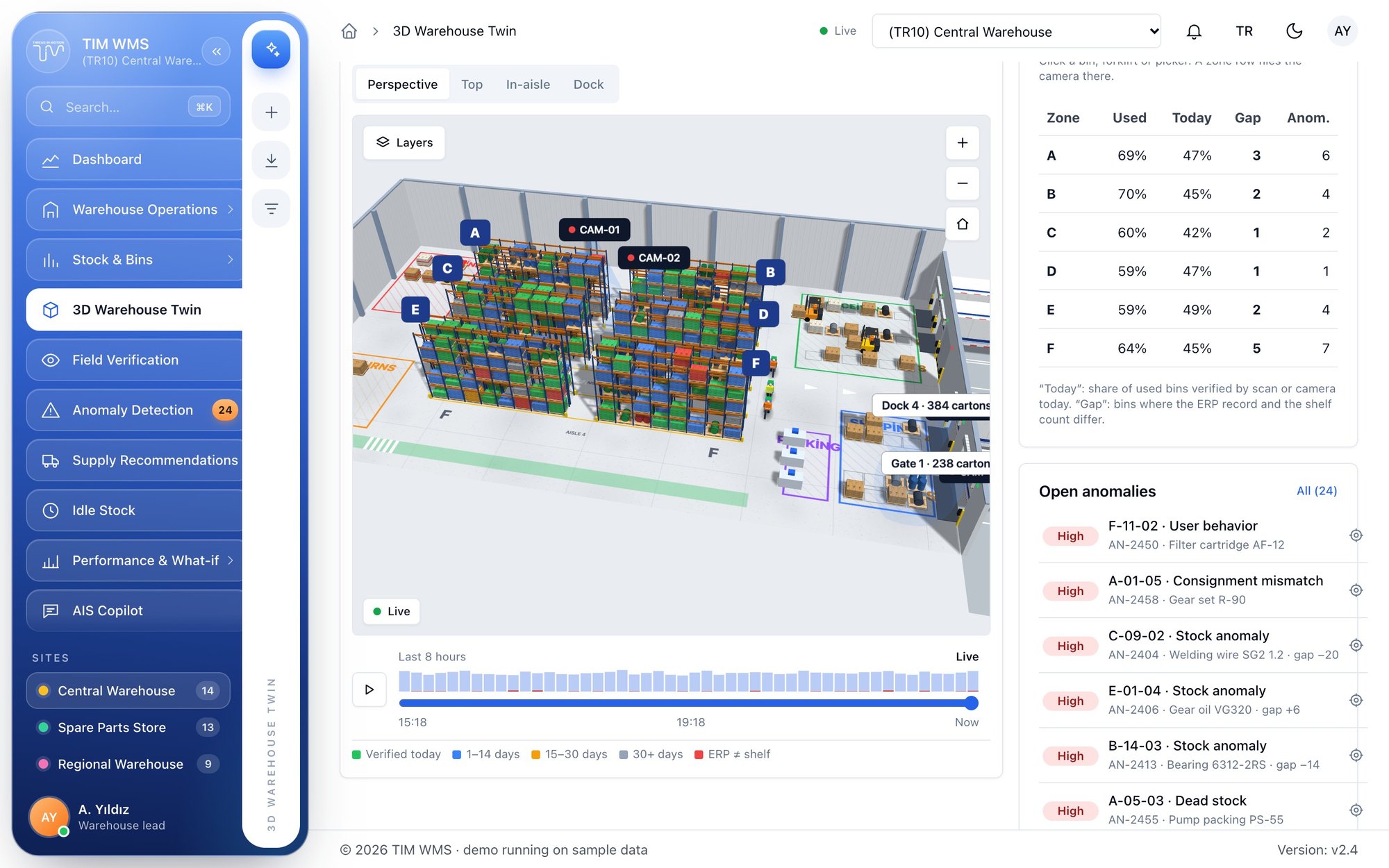
3D Warehouse Twin. 480 bins, forklifts and pickers in 3D; every scan lands on its bin in green or red. Verification, fill, anomaly, ABC and pick-density modes make the warehouse readable at a glance.
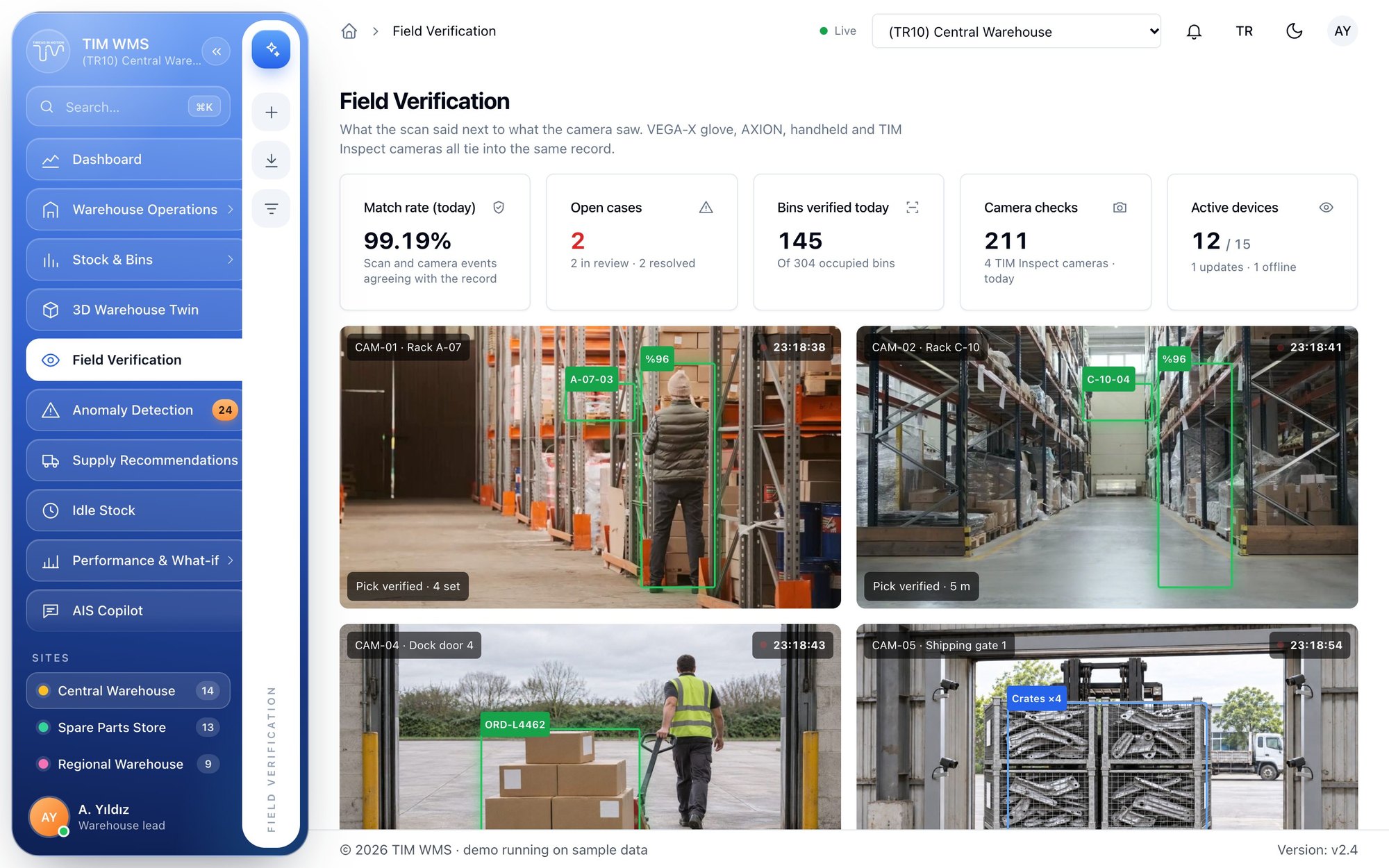
Field Verification. Rack cameras see whether the hand really took the item; door cameras count cartons. VEGA-X, AXION and handheld scans tie into the same record, and any mismatch becomes a case.
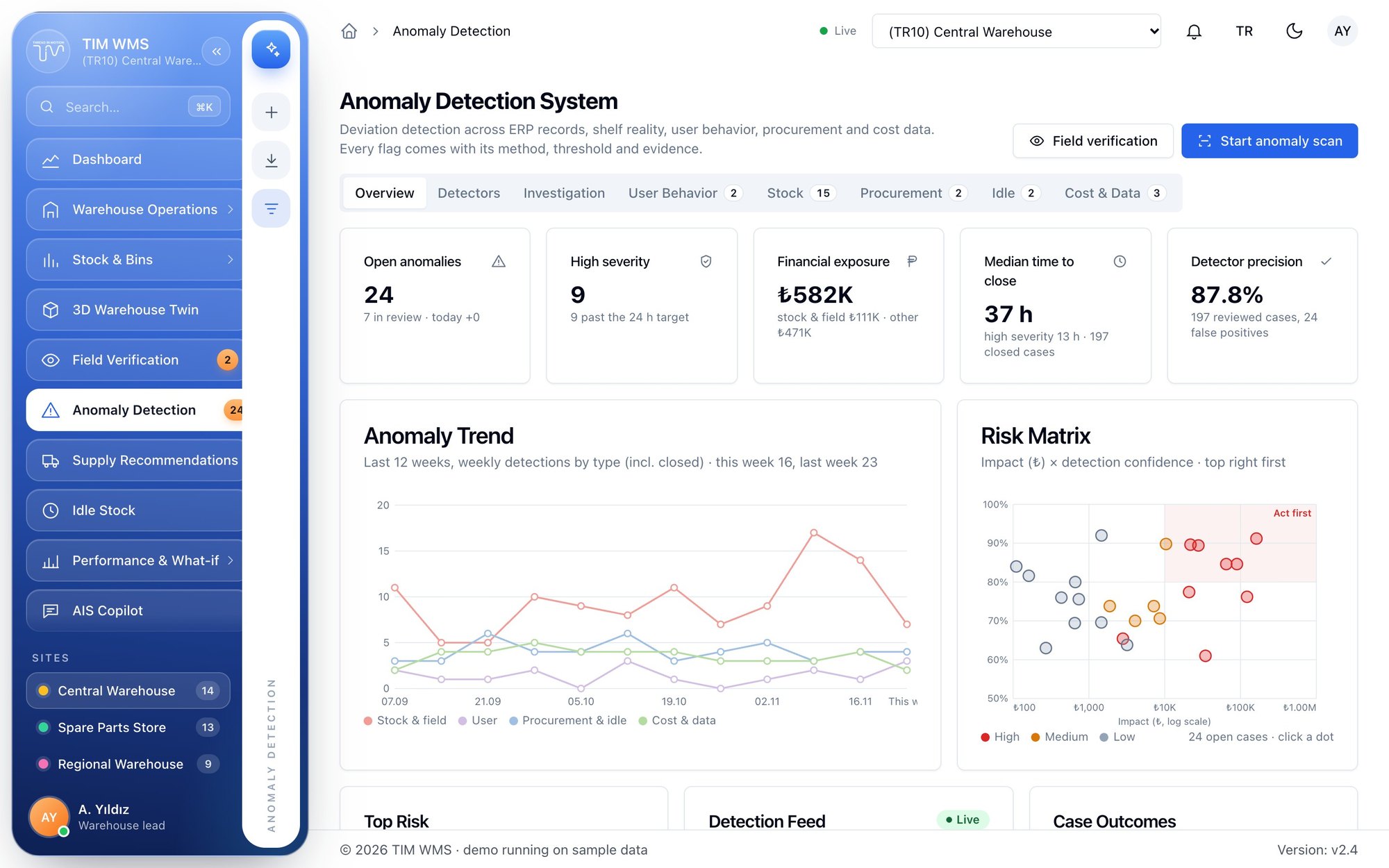
Anomaly Detection. Deviations in stock, user behavior, procurement, idle stock and cost data. Each one is placed on the risk matrix by its ₺ impact and detection confidence.
Case Investigation. When a gap opens, the bin ledger puts the system record and the scans side by side. Root causes are ranked with their evidence, and the approved fix updates stock, and your ERP too if one is connected.
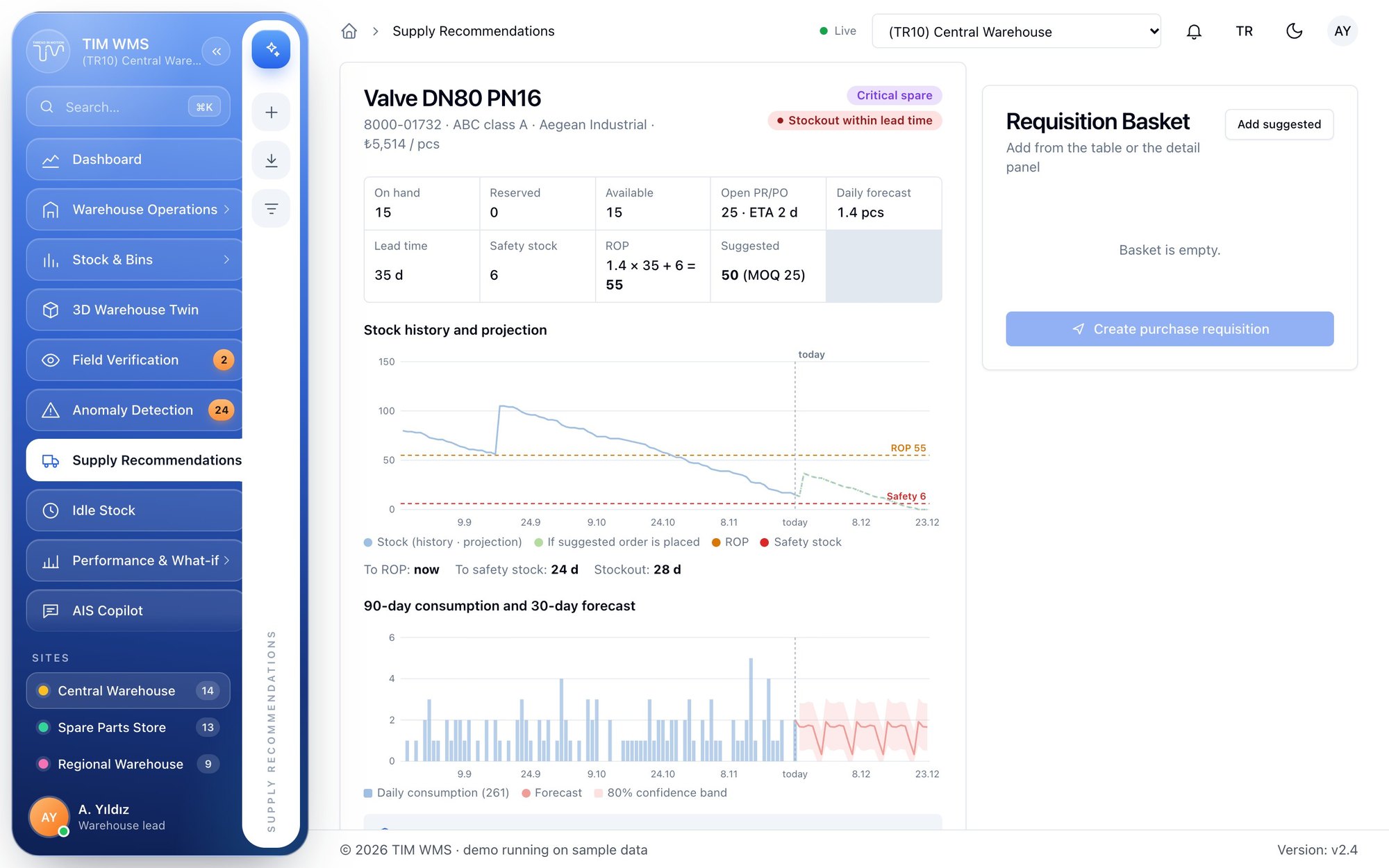
Supply Recommendations. Consumption history and a forecast band drive the projected stock line. Proposals rounded to the MOQ against the reorder point and safety stock turn into purchase requisitions.
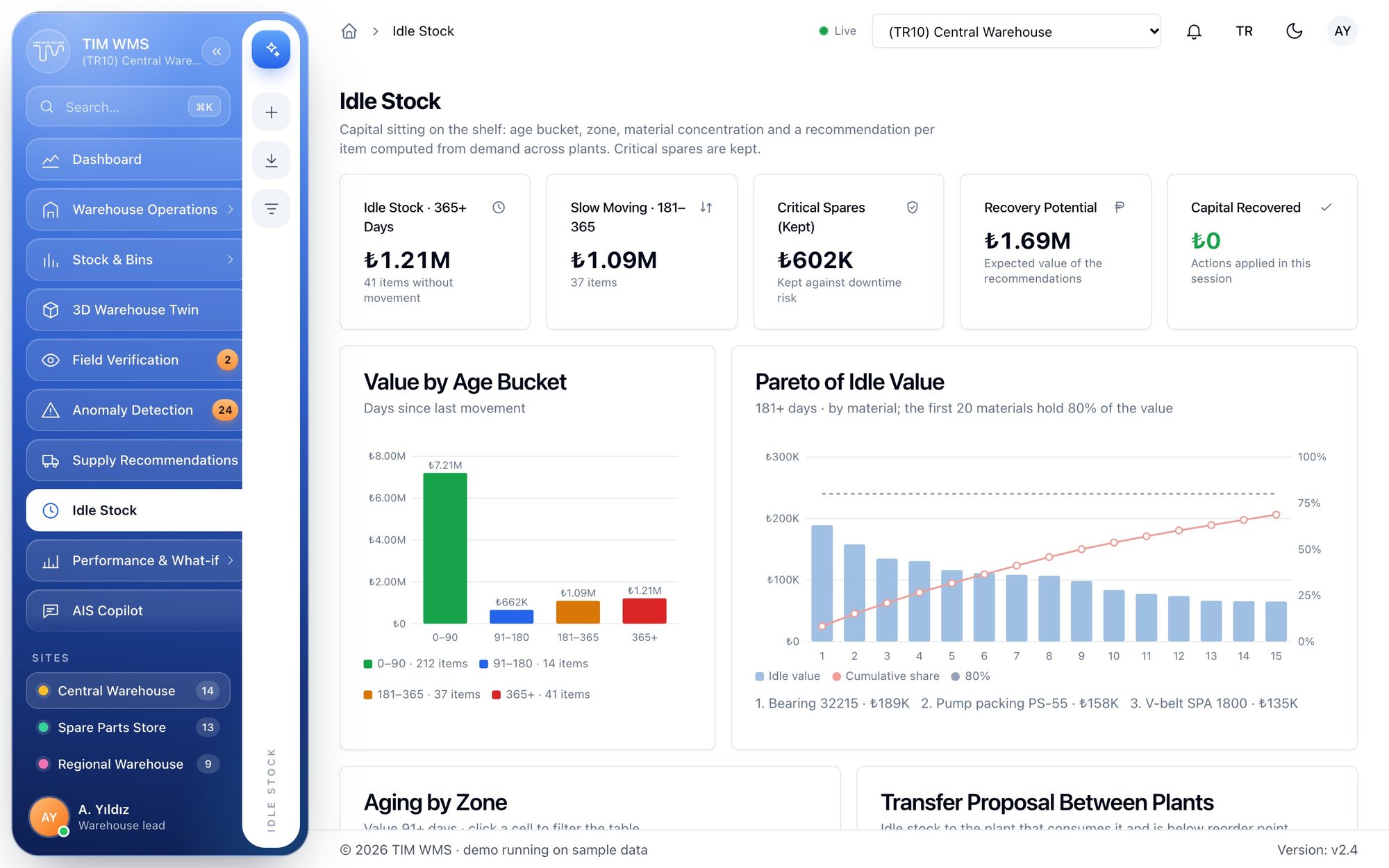
Idle Stock. Capital sitting on the shelf by age bucket, zone and material. Critical spares are kept; for the rest a transfer, return or scrap proposal is ready.
Performance & What-if. Hourly productivity, task times and shift plan. Change the crew, shift or workload and capacity and cost per line are simulated.
TIM WMS looks for deviations in six areas. Every flag shows which data it used, what the threshold was and why it counts as unusual.
Below safety stock, record vs floor gaps, items stuck in quarantine and count variances.
StockTransactions at odd hours, unusual volume, chains of adjustments. It looks at the process, not the person.
BehaviorLead-time drift, demand spikes and consumption that doesn't match open orders.
SupplyLots that haven't moved in a long time and the capital they hold; critical spares are kept apart.
CapitalWrong cost centers, unit-of-measure errors and implausible quantities.
CostPending putaway and packing, station cycle-time drift and data freshness.
Flow0unusual time slots
Skip the report hunt and type your question in English or Turkish. The assistant builds the answer from your own data, shows the records behind it, and if it suggests an action, you approve it.
TIM WMS runs on its own; you don't need an ERP. If you have one, SAP included, it connects both ways and finance and procurement can stay there. It collects data straight from devices on the floor.
 VEGA-XWearable barcode scanner
 AXIONAI device for frontline work
 Android handheldsCamera, OCR and barcode
When the connection drops, scans queue on the device and are processed in order once it's back.
See how it fits the systems and devices you already run, in a short call.
Stock accuracy is tested inside normal work, not once a year.
Every alert comes with a cause, evidence and a confidence score.
Idle and slow stock is listed item by item, with value and a next step.
Every correction is recorded immutably, with who approved it.
Cement, energy, mining: thousands of SKUs, long lead times, high value.
Multi-client stock, fast picking, shipping accuracy.
Kitting, line-side delivery, lot and serial traceability.
Lot and expiry control, FEFO allocation, consumption posting.
Let's find out together. We'll show you what TIM WMS would surface in the material groups that cost you the most.
Our team will be in touch shortly. Meanwhile, open the live demo; since you've filled in this form, it won't ask for your details again.
Open the live demoTIM WMS is Thread in Motion's AI-powered warehouse management system. It runs warehouse operations from receipt to dispatch, checks every scan against the stock record, and against your ERP if one is connected, detects stock, user, procurement and cost anomalies with their likely causes, and proposes corrections for approval.
A traditional WMS treats whatever was entered as true, so gaps usually surface at a period-end count. TIM WMS keeps comparing the record with floor scans and, if connected, your ERP. It sees a gap the day it appears, explains the likely cause with evidence and puts the fix up for approval.
Yes. TIM Inventory has been renamed TIM WMS. The product has grown into a next-generation warehouse management system with anomaly detection, an AI assistant, replenishment and idle-stock analysis.
Both work. TIM WMS is a standalone warehouse management system with its own stock record; you don't need an ERP. If you want, it integrates both ways with SAP S/4HANA and SAP ECC, and connects to other ERP and MES systems over REST, OData, CSV and SFTP. If you run an ERP, finance and procurement can stay there.
No. The AI proposes the likely cause and the correction. Every action that changes a stock record requires approval from an authorized person and is written to an immutable audit trail.
It works with TIM's wearable scanner VEGA-X, the AXION frontline AI device and Android handhelds. If the connection drops, scans wait on the device and are processed in order once it returns.
Behavior analytics are shown at team and process level by default. Individual views are role-based and require permission. The aim is fair, measurable evaluation of the process, not surveillance; it is designed around GDPR principles.
In a demo call we look at your warehouse setup, your ERP and the material groups with the largest gaps. You start with one store or material group and widen the scope from there.
Open demowms.timcloud.io and sign in with a short form (name, work email, company). It runs in your browser with nothing to install. The data is fictional, refreshes every week, and nothing you do inside the demo is saved.