




Spill and leak detection with vision AI means letting fixed cameras notice new liquid on the floor, a dripping valve or rising water the moment it appears, instead of waiting for someone to walk past it. The camera compares the live image with the normal floor it has learned, opens a clean-up task for the right team and warns anyone heading towards the slippery spot. This guide explains how that works in practice and what to plan for; the Spill & Leak Detection solution page shows the full workflow.
Most facilities already have a rule that says "report spills immediately". The problem is not the rule; it is that a spill has to be seen before anyone can report it. In a large plant, a warehouse at night or a utility room nobody visits for hours, that can take a long time.
Why spills and leaks are a bigger problem than they look
Oil, water and process liquids on the floor are a leading cause of slip accidents. The UK Health and Safety Executive treats slips and trips as one of the core workplace risks and publishes dedicated guidance on how to prevent slips and trips and what they cost employers. A puddle that forms in a walkway at the start of a shift can stay there until someone happens to step in it.
Leaks have a second cost. A slow drip around a pipe, valve or tank often continues unnoticed, and if it turns into flooding it damages stock and equipment. In chemical stores, a spill is not only a slip risk but also an exposure and environmental issue. In every case the outcome depends on one thing: how quickly the right person knows exactly where the liquid is.
Traditional spill controls and their limits
Sites usually rely on a mix of the following:
- Housekeeping rounds: a cleaner or supervisor walks the floor at set times. Anything that appears between rounds waits.
- Worker reporting: people are asked to report what they see, but they are busy, may not know who to call and often assume someone else already did.
- Leak sensors: water or liquid sensors work well at the exact spot where they are installed, yet they cannot cover a whole walkway or every pipe joint.
- Wet-floor signs: useful once a spill is known, useless before.
None of these tell you how long a spill was on the floor before it was cleaned, and none of them build a record of where leaks keep coming back. That is the gap camera-based detection fills.
How vision AI detects spills and leaks
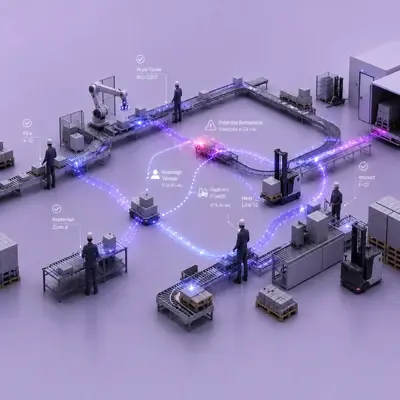
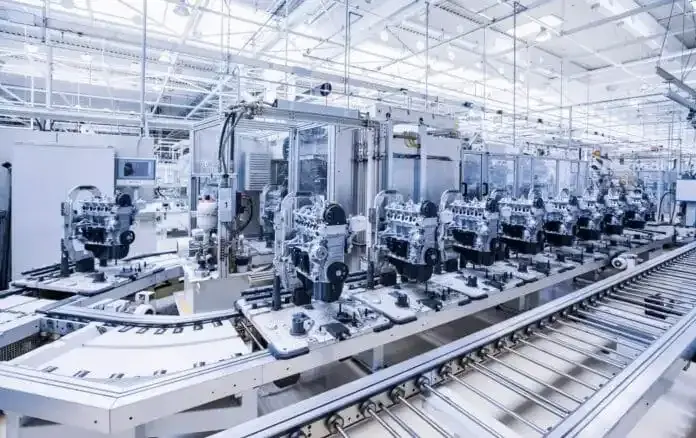
On the TIM INSPECT platform, spill and leak detection runs on fixed cameras that already watch the floor, the area around pipes and tanks, and walkways. The workflow has four steps:
- Teach the normal floor. During setup, the system learns what the normal floor looks like in each monitored area. Areas that are wet by design, such as wash-down zones, are excluded so the system only looks where liquid is not expected.
- Detect new liquid. A new puddle, a leak around pipes and valves or a rising water level is detected in the image and marked with its location.
- Assign the team and warn passers-by. The cleaning or maintenance team receives a task on AXION, TIM's wearable physical AI device, with the location and an image, so nobody has to search for the spot. A worker approaching the area is warned on their own AXION about the slip risk, for example with a voice alert such as "Caution, slippery floor."
- Close the task once it is clean. When the area is clean, the task closes and the response time is recorded. The record is written to the maintenance work order system.
The result is a single record per event: where and when liquid was detected, which team was assigned and how long the clean-up took. Over time, recurring leak points become visible next to response-time reports, which helps maintenance set priorities instead of reacting to the same valve every week.
What can be detected
The scope covers newly formed liquid on the floor, leaks around pipes, valves and tanks, rising water levels and spills in chemical areas. What a given site can detect depends on the camera view in each area, so the scope is confirmed on site rather than promised in advance.
What to plan before installation
Camera position and floor visibility
The camera needs a clear view of the floor surface, not just the people on it. Walkways with slip risk, the area under pipe runs and the base of tanks are typical priorities. Racking, parked vehicles and pallets that hide the floor reduce coverage, so a short site walk with the current camera views is the best starting point.
Lighting and shiny floors
Telling a wet floor from a polished or shiny one requires site-specific training. That is why the normal floor view of each area is taught during setup and the evaluation is tuned to the conditions on site, including light changes during the day.
Wet-by-design areas
Wash-down zones and similar production areas are left out of the monitored area. Including them would only create noise; excluding them keeps alerts meaningful.
Privacy and data protection
The system monitors areas and behaviour, not who a person is. Images are filtered and only the event moment is stored, and privacy is designed in from the start in line with GDPR (and KVKK in Türkiye). Agreeing on retention and access rules with your data protection officer before the pilot avoids surprises later.
Integration with maintenance systems
Detection is only half the job; the task has to reach a work order. Decide which team owns which area, who gets the alert at night and which maintenance work order system receives the record. If you also run digital inspection rounds, Maintenance Rounds can document the follow-up checks on recurring leak points.
FAQ
Can a camera tell a wet floor from a shiny floor?
Yes, with site-specific training. The normal floor view of each monitored area is taught during setup, and detection is tuned to that view and the lighting on site.
Does it work in areas that are always wet?
Areas that are wet as part of the job, such as wash-down zones, are excluded from monitoring. The system focuses on places where liquid is not expected.
Who is notified when a spill is detected?
The cleaning or maintenance team is notified on AXION with location and image. Any worker approaching the same area is warned about the slip risk, and the task closes once the area is clean.
Are workers identified on camera?
No. The system watches areas and behaviour, not identities. Images are filtered and only the event moment is stored.
Next step
If you want to map your slip-risk walkways and leak points against your existing camera views, request a demo and we will look at a pilot scope together; you can also review the details on the Spill & Leak Detection page.


