



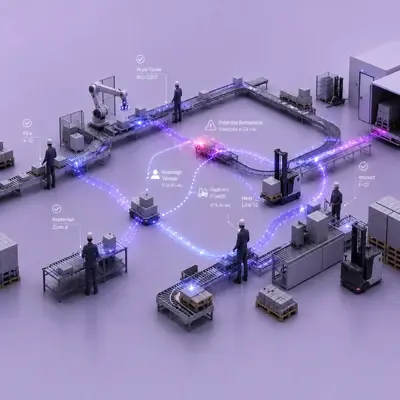




Lockout/tagout verification answers a question a paper checklist cannot: was every isolation step really done, in the right order, before anyone reached into the machine? With vision AI on a wearable, the technician is guided through each energy isolation step and shows the breaker, lock, tag and valve to the device; the flow does not move on until the image confirms the step. The Lockout/Tagout Verification solution page shows each step of the workflow.
This guide looks at why lockout/tagout (LOTO) programmes still fail on the floor, how photo-based step verification works and how to introduce it without changing the procedure your safety team already owns.
Why lockout/tagout failures are so dangerous
A machine that starts unexpectedly during maintenance can cause fatal injuries. That is why isolation is central to safe maintenance. The UK Health and Safety Executive's guidance on safe maintenance of work equipment lists steps such as stopping moving plant, isolating electrical and other power supplies, locking off isolating valves and, for high-risk equipment, preventing inadvertent reconnection, for example by locking off.
Most sites have a written LOTO procedure. The weak point is usually not the procedure but its execution: a step done out of order, a valve assumed closed, a lock fitted to the wrong isolator, or a lock removed before everyone has finished. On paper, all of these look the same as a correctly completed form.
Traditional LOTO controls and their limits
- Paper checklists and permits: they record that someone ticked a box, not what the breaker or valve actually looked like. A skipped step goes unnoticed.
- Supervisor sign-off: valuable, but a supervisor cannot stand at every isolation point on every job.
- Periodic audits: they check whether the procedure is followed on the day of the audit and rely heavily on forms.
- Training: essential, yet routine and time pressure make shortcuts tempting, especially on jobs people have done many times.
What is missing is evidence at each step, captured while the work is being done.
How photo-based lockout/tagout verification works
On the TIM INSPECT platform, lockout/tagout verification runs mainly on AXION, TIM's wearable physical AI device in the technician's hand, with a fixed camera added where needed. The workflow has four steps:
- Receive the work order on AXION. The maintenance work order arrives on the technician's AXION from the maintenance system, and the lockout steps for that machine open with it.
- Show every step. AXION calls out the next step. The technician shows the breaker, lock, tag and valve to AXION, and the image is verified.
- Stop at a missing step. If a step is not verified, AXION does not move on. For example, if the breaker handle is still in the ON position, it says: "The breaker looks on. Switch it off and show it again." If someone approaches the machine before the lock is on, AXION alerts with a vibration.
- Start maintenance. Maintenance starts only once all steps are complete. A photo of each step goes on record, and removing the locks after maintenance is verified in the same way.
The steps in scope are the breaker's off position, the lock and tag being fitted, the valve's closed position and the correct order of steps. Fitting the locks and removing them later are both followed under the same work order.
It audits the procedure, it does not replace it
This is an important distinction. Image verification does not replace your lockout/tagout procedure; it checks whether the procedure is being followed. Isolating energy and fitting the lock remain the technician's job, and the system does not stop or lock the machine by itself. What changes is that audits can rely on images rather than forms, showing when each step was verified and with which photo.
What to prepare before rollout
Define steps per machine
Start with the machines and energy sources your procedure already covers. For each machine, list the isolation points, the expected state (off, closed, locked, tagged) and the order. This becomes the step list AXION calls out.
Make isolation points recognisable
Verification works best when breakers, valves and lock points are clearly labelled and easy to photograph. Poorly lit panels or isolators behind guards may need better lighting or a fixed camera.
Connect to the maintenance management system
The work order arrives on AXION and the photo record of each step connects back to the maintenance management system. Plan the integration scope around the system you use, so audits can open a work order and see every step.
Privacy and confidential details
If people or confidential details appear in photos, they are filtered. The retention period is agreed with you, and privacy is designed in line with GDPR and KVKK requirements.
Link LOTO to the rest of maintenance
Isolation is one part of a maintenance job. If your technicians also follow inspection routes, Maintenance Rounds documents those checks with photos and voice in a similar step-by-step way.
FAQ
Does this replace our lockout/tagout procedure?
No. It audits whether the procedure is followed. Isolating energy and fitting locks remain the technician's job; the system does not stop or lock the machine.
Which steps are verified by image?
The breaker's off position, lock and tag fitted, the valve's closed position and the order of steps. Lock removal after maintenance is verified the same way.
What happens if a step is skipped?
AXION does not move on until the step is verified, and maintenance does not start until all steps are complete. Approaching the machine before the lock is on triggers a vibration alert.
Do we need fixed cameras?
The solution runs on AXION; a fixed camera is added only where needed.
Next step
To agree on your machines, isolation steps and the images to verify, request a demo and we will scope a pilot together; the solution page shows the flow in detail.


