




Restricted zone intrusion detection means noticing the moment a person enters a hazardous area, such as a robot cell, a press zone or the space under a suspended load, and warning that person straight away. With vision AI, the hazardous zone is drawn on a fixed camera view, the system detects anyone who steps in, and the alert goes to the worker's own wearable device rather than to a siren. TIM INSPECT Restricted-Zone Detection adds this alerting and recording layer alongside your existing guarding.
Why hazardous zones are still entered
On many sites, the boundary of a hazardous area is a painted line, a strip of barrier tape or a sign. Those markings tell people where not to go, but they cannot react when someone crosses them, whether out of habit, to save a few steps or simply without noticing. Some zones are not even fixed: the area under a crane load moves with the load, so yesterday's safe walkway can be today's danger zone.
There is a second gap. A breach that nobody sees is never recorded. Safety teams know that people step into these zones, but without records they cannot tell where it happens most, at what time or why. Regulators such as the UK's Health and Safety Executive treat the control of access to dangerous parts of work equipment and machinery as a core duty, and that starts with knowing what actually happens on the floor.
Traditional controls and their limits
- Floor markings, tape and signs. Cheap and visible, but passive. A line cannot warn anyone.
- Fixed guarding and interlocks. The strongest measure where they fit, and they remain essential. Many areas, such as scaffolding, crane paths or temporary work zones, cannot be fully fenced.
- Light curtains and area scanners. Effective at specific machine openings, but each covers one fixed boundary and does not tell you who was alerted or what happened next.
- Supervision. A supervisor sees what is in front of them. Breaches elsewhere stay invisible.
How vision AI detects entry into a restricted zone
With TIM INSPECT, the workflow has four steps:
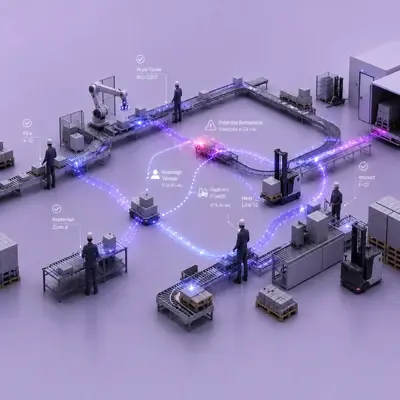
- Define the zone by drawing it. Hazardous zones are drawn directly on the camera image. Permitted entry for authorised maintenance staff is defined separately, so planned work does not trigger breach alerts.
- Detect the breach. When a person enters the zone, TIM INSPECT detects it. Time spent in the zone and guards left open while a machine runs can be monitored too.
- Alert the person and the supervisor. The worker's AXION vibrates and announces which zone they are in, for example: "You have entered the scaffolding zone. Please leave the zone." The alert closes when they step out. If they stay, the shift supervisor is notified.
- Record it with a short clip. Every breach is saved with a short video. Over time, the records build into statistics by zone.
Zones that move with the load
The space under a suspended load is a good example of why drawn zones need to be flexible. Here the zone is updated according to crane and load movement, so the hazardous area travels with the load. Coverage is planned around the camera views available on site.
Connecting to the machine, carefully
The system does not stop machines on its own; it alerts and records. Where required, a signal can be sent to the PLC to slow or stop a machine. Because this touches the plant's safety function, that link is always designed together with the existing safety circuit. A camera on its own is not a safety barrier.
What to plan before installation
- Zone list. Start with the areas that worry you most: robot cells, presses, crane paths, scaffolding. Define each zone and who may enter under which conditions.
- Camera views. Fixed cameras need to see each zone and its surroundings clearly. Check angles, obstructions and light at different times of the shift.
- Alert escalation. Agree how long a person may stay before the supervisor is notified, and who that supervisor is per area and shift.
- Privacy. The system monitors zones and behaviour, not who a person is. Images are filtered and only the event moment is stored, and privacy is designed in from the start in line with KVKK and the GDPR.
- Using the statistics. Each record shows the zone, start time, duration and who was alerted. Use the statistics by zone to decide where barriers, markings or layout changes are needed.
Where the main risk is moving vehicles rather than fixed hazards, see Forklift–Pedestrian Safety. Both run on the TIM INSPECT platform. For the full workflow and interactive examples, visit the restricted-zone detection page.
FAQ
Does a camera replace a safety barrier?
No. It works as an alerting and recording layer alongside physical guarding and the safety circuit.
Can the system stop a machine?
Not by itself. Where required, a signal can be sent to the PLC to slow or stop the machine, designed together with the plant's safety circuit.
What happens when maintenance staff enter a zone?
Authorised entries are defined at the start, so planned maintenance is kept apart from breach alerts.
How is the area under a moving load monitored?
The zone is updated with crane and load movement, so it moves along with the load within the available camera views.
Are people identified?
No. Zones and behaviour are monitored, not identity, and only the event moment is stored.
Next step
If you want to review your robot cells, press and crane areas with us, request a demo and we can define the first zones for a pilot.


