

Forklift–pedestrian collisions happen where people and trucks share the same space and cannot see each other in time: rack corners, doorways and crossings. Preventing them takes physical separation and clear rules first, and then a way to spot a risky encounter as it develops and warn only the two people involved. TIM INSPECT Forklift–Pedestrian Safety does this with fixed cameras that track both movements and a wearable alert on the pedestrian and the operator.
Why forklift–pedestrian encounters are so dangerous
In most warehouses and plants, forklifts and people work in the same aisles. A loaded truck, a high rack and a blind corner are enough for neither side to see the other until it is too late. Workplace transport is one of the risk areas safety regulators keep returning to; the UK's Health and Safety Executive, for example, publishes detailed workplace transport guidance built around separating vehicles and pedestrians.
The harder problem is what you do not see. A near miss at a rack corner usually leaves no trace. Nobody reports it, nothing is recorded, and the site only learns that the corner is dangerous after an accident. Without data on where close encounters happen, layout and routing decisions rely on instinct.
Traditional forklift safety measures and their limits
- Floor markings, barriers and mirrors. Essential and the first line of defence. They define where people should walk, but they cannot react when someone steps outside the line.
- Sirens and warning lights. A blue spot or a beeper warns everyone at once. In a busy, noisy hall, people get used to it, and the one person who needs the warning may not notice it.
- Proximity tags. Tag-based systems react to distance only. They do not see the layout, direction of movement or whether the two paths will actually cross, so alerts can fire when there is no real risk.
- Training and observation rounds. Necessary, but they cover the moments a supervisor happens to see, not the whole shift.
How vision AI prevents forklift–pedestrian collisions
The camera-based approach looks at the situation, not just the distance. It runs in four steps:
- Observe the area. Fixed cameras detect forklift and pedestrian locations within the monitored area.
- Evaluate the encounter. Distance, direction of movement and potential path crossings are assessed together, against risk thresholds and travel zones defined for your site.
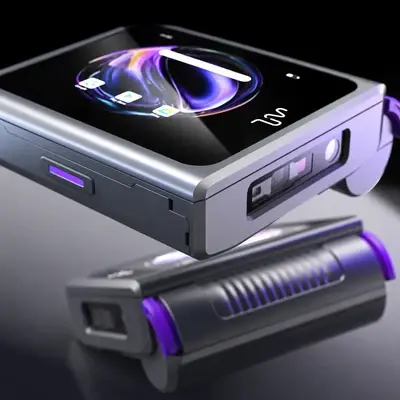
- Send personal alerts. When a defined threshold is reached, the alert goes to the AXION devices of the pedestrian and the forklift operator involved: vibration, sound and an on-screen notification showing the direction of the danger. Nobody else is disturbed.
- Make the event reviewable. A short event video and a near-miss record are saved, and a weekly heat map shows where encounters keep happening.
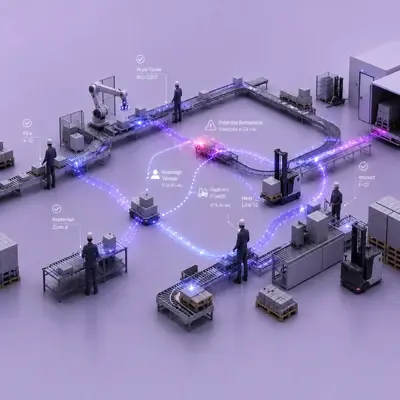
Take a typical rack corner. A forklift and a pedestrian approach from two sides, and neither can see the other. The cameras follow both movements and their likely intersection. When the site's threshold is reached, both AXION devices alert, both people stop, and a short video of the event is recorded for review.
Turning near misses into data
The value does not end with the alert. Every recorded near miss becomes something the safety team can review: where it happened, how the two paths met and why the alert fired. Over weeks, the heat map shows which corners, doors and crossings carry the most risk, so decisions about routes, crossings and layout can rest on recorded evidence rather than impressions. This is the main outcome to measure in a pilot, alongside relevant event detection.
What to consider before installing
- Camera coverage. Camera angles, field of view, image quality and connection conditions are reviewed during the site assessment. Existing cameras may be usable; the required layout is defined after that review.
- Zones and thresholds. Monitored zones, travel routes and alert thresholds are set for your site workflow. A pilot evaluates relevant event detection and the reduction of unnecessary alerts together.
- Who carries a device. Alerts reach the pedestrian and operator through AXION, worn on the hand or the belt. Decide which roles and areas are included first.
- Privacy. The system focuses on movements and events. Image filtering, access and retention rules are defined within the project scope, in line with data protection requirements such as the GDPR.
- Physical measures stay. Vision AI adds an alerting and learning layer on top of separation, markings and training; it does not replace them.
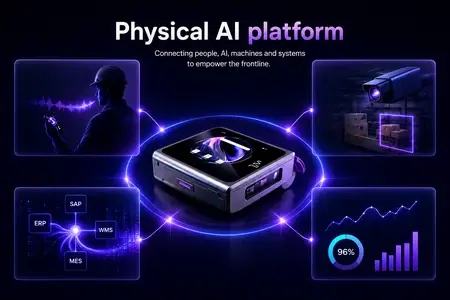
Many sites also have hazardous areas that nobody should enter at all; for those, see Restricted-Zone Detection. Both run on the TIM INSPECT platform, so cameras, alerts and event records stay in one place. Full details of the solution are on the forklift–pedestrian safety page.
FAQ
How does the alert reach people?
During a defined risky encounter, the AXION devices of the pedestrian and forklift operator involved receive vibration, sound and an on-screen notification.
Can we use our existing cameras?
Possibly. Angles, coverage, image quality and connection conditions are checked during the site assessment, and the required camera setup is defined from there.
Does every close pass trigger an alarm?
No. Alert thresholds and monitored zones are configured for your workflow, and the pilot works on reducing unnecessary alerts.
What is recorded?
Near-miss records, short event videos and a heat map of risk locations. Filtering, access and retention rules are agreed in the project.
Next step
If you want to map the crossings and corners that worry you most, request a demo and we can define a pilot scope for your routes together.


