The best wearable barcode scanner in 2026 is the one that fits your workflow, not the one with the longest spec sheet. For most warehouses and production lines that means a device light enough to forget about, a scan engine matched to your real reading distances, a battery plan that covers the whole shift and a clean connection to your WMS or ERP. This buyer's guide covers the selection criteria, the main device categories and the questions to ask before you sign a purchase order.
Why operations are switching to wearable barcode scanners
Handheld terminals still do a large share of the scanning in warehouses and factories. They are capable computers, but they occupy a hand. Every pick, part check and carton count starts with picking the device up and ends with putting it down or holstering it. Repeat that a few thousand times a day and the small movements turn into lost minutes, extra strain on the wrist and more chances to scan the wrong item.
A wearable scanner moves the scan engine onto the body: a ring on the finger, a module on the back of the hand or a unit on the forearm. The worker keeps both hands for the product and scans with a thumb press. The real differences between products show up in how well they deliver this across a full shift.
How to choose the best wearable barcode scanner: eight criteria
1. Scan range and engine options
Start by mapping where your barcodes actually are. Picking from shelf fronts needs a short or mid-range engine. Reading pallet labels on high racking, or from a forklift seat, needs a long-range engine. Many vendors sell the same device with several engines, so ask for the configuration that fits each role instead of one compromise model for everyone. Test small, glossy or damaged labels with samples from your own floor.
2. Weight and where it sits
Grams matter less than placement. The same weight feels different on a fingertip, on the back of the hand or on the forearm, and a cable between two units changes the experience again. Only a full-shift pilot tells you how it feels.
3. Standalone or paired
Some wearables are pure scanners that send data over Bluetooth to a smartphone, a wrist computer or a handheld. Others connect straight to Wi-Fi and run the workflow themselves. Paired setups can reuse existing mobile apps, but they put two devices on every worker that must be charged, paired and managed. Standalone devices simplify the kit, but they need a reliable network and an application layer that supports them.
4. Display and data entry
If people only scan, a screenless scanner with clear feedback can be enough. If they need to see a quantity, a bin location or an exception message, a display at the point of work saves walks back to a terminal. Look closely at how numbers are entered. An on-screen keyboard covers the very information the worker is trying to read, while physical or textile keys leave the display visible.
5. Feedback that does not need eyes
Good wearables confirm every scan without forcing the worker to look down. Vibration, sound and light signals that you can configure per event (right item, wrong item, quantity reached) reduce errors in noisy halls and let people keep their attention on the task.
6. Battery plan for a full shift
Ask how the device gets through a shift and what happens at the end of it. Replaceable batteries let a team swap a battery rather than a device, and charging stations that charge batteries on their own reduce the number of spare devices you have to buy. Ask for runtime figures measured at your scan volume, not a laboratory maximum.
7. Durability, temperature and hygiene
Check the ingress protection rating, drop behaviour and operating temperature range, which matters in cold storage. Then ask how gloves, straps or rings are cleaned and how often they need replacing. Wearable accessories are consumables, so their price and lifetime belong in your cost model.
8. Integration and device management
A scanner is only as useful as the system it feeds. Confirm how data reaches your WMS, ERP or MES (keyboard emulation, SDK, web services or middleware), who builds the screens and workflow logic, and how hundreds of devices are configured and updated.
Wearable scanner categories at a glance
| Category | How it is worn | Typical strengths | Watch out for |
|---|---|---|---|
| Ring scanner | On the index finger, triggered with the thumb | Very light and quick to put on | Usually needs a paired device; no room for a screen; load sits on one finger |
| Glove or back-of-hand scanner | Module on the back of the hand, trigger built into a glove or strap | Fingers stay free; can carry a display, keys and its own Wi-Fi | Needs a glove size range and a replacement plan |
| Wrist computer with scanner | Computer on the forearm, ring or hand scanner linked to it | Full app screen close at hand | More weight on the forearm; cable or pairing to manage |
| Handheld terminal (reference) | Held in the hand or a pistol grip | Large screen and keyboard for data-heavy tasks | Occupies a hand; constant pick-up and put-down |
No category wins everywhere. Many sites run a mix: wearables for high-volume roles, handhelds for supervisors and exceptions.
Questions to ask every vendor
- Can we run a pilot on our own floor, with our own labels, for at least two weeks?
- Which scan engine do you recommend for each of our roles, and why?
- Does the device need a phone or handheld next to it, and who manages that second device?
- How is runtime measured, and what is the battery swap process at the end of a shift?
- What does integration with our WMS or ERP involve, and how long did it take at similar customers?
- What are the replacement cycle and cost of gloves, straps or rings?
- Which customers in our industry can we speak to or visit?
Where TIM VEGA-X fits
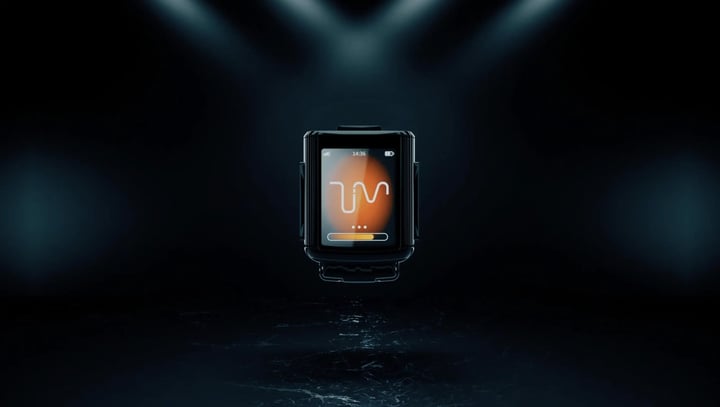
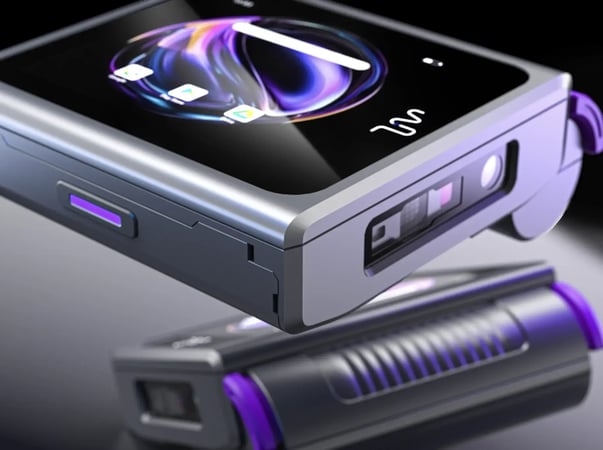
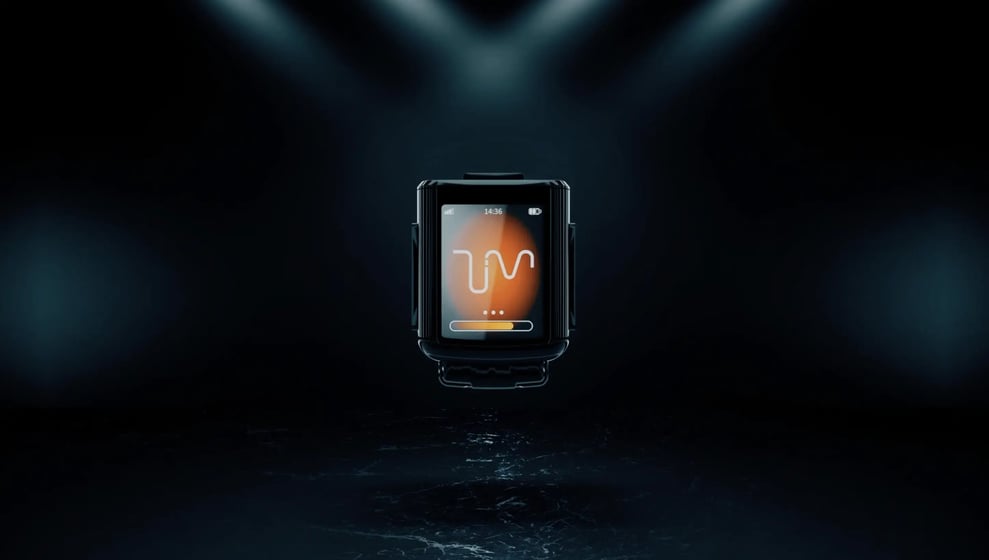
Our own device, TIM VEGA-X, belongs to the glove category, so read this section with that in mind. VEGA-X works without a paired phone or handheld: it connects directly over Wi-Fi, with Bluetooth also available. The module weighs about 45 grams, sits on the back of the hand and has a colour display. The trigger and a textile keypad are built into the glove, so entering a quantity does not cover the screen. Every scan is confirmed with vibration, sound and light, the battery is replaceable, and the scan engine is offered in short, mid and long-range configurations. VEGA-X can also take photos for checks such as reading labels or expiry dates, and it connects to SAP, WMS and other enterprise systems.
It is not the right tool for every job. If a process depends on a full mobile app with long forms, a handheld or wrist computer may still be the better choice. VEGA-X proves itself in high-volume picking, sorting and part verification. Lactalis integrated it with its Axata WMS and reports 50% faster picking with 0% errors, and CEVA connected it to its WMS and reports a 50% speed gain with 100% accuracy.
FAQ
What is the best wearable barcode scanner for a warehouse?
The one that matches your reading distances, works for a full shift and integrates with your WMS without a second device per worker. For high-volume picking, glove or back-of-hand scanners with feedback and a small display are a strong fit; for long-range pallet reading, make sure a long-range engine is available.
Are ring scanners or glove scanners better?
Ring scanners are lighter and quicker to put on, but usually rely on a paired device and offer no screen. Glove scanners spread the load across the back of the hand and can include a display and keys. The right choice depends on how much information workers need to see while scanning.
Do wearable scanners work with SAP or an existing WMS?
Most do, but the method varies: keyboard emulation, SDKs, web services or middleware. Ask the vendor for a reference project with your system and the time the integration took.
Next step
If you would like to test a wearable scanner on your own process, you can request a demo and we will plan a pilot around your labels and systems.