Physical AI is artificial intelligence that perceives the real world through sensors, understands what is happening and then acts on it, either by moving a machine or by guiding a person at the moment of work. Where chatbots and analytics tools live on a screen and wait for a question, physical AI sits inside the operation itself: on a robot arm, in a camera above a station, or on the hand of a frontline worker.
The term has moved quickly from research labs into boardrooms. The World Economic Forum, in its white paper Physical AI: Powering the New Age of Industrial Operations, describes it as the next stage of industrial automation. Much of that discussion is about robots. But in most factories and warehouses, the bulk of the work is still done by people, and that is where physical AI is starting to make a practical difference today.
Physical AI explained in one picture
Think of the difference between asking an assistant on your phone where a part should go and having an assistant that sees the part in your hand, knows the order you are working on and tells you, before you place it, that it is the wrong one. The first is screen AI. The second is physical AI.
Every physical AI system runs the same basic loop:
- Sense. Cameras, microphones, motion sensors and scanners capture what is happening: the part, the label, the movement, the spoken command.
- Understand. Models recognize objects, read text, interpret speech and place it all in the context of the task.
- Decide. The system compares what it sees with what should happen, usually against data from an ERP, WMS or MES.
- Act or guide. A robot moves, or a person receives a clear instruction through voice, vibration, light or a short message on a display.
- Verify and record. The result is confirmed and written back to the business system, so the next decision starts from accurate data.
The loop is closed. Screen AI usually stops at an answer; physical AI stops only when the work in the real world is done and confirmed.
How physical AI differs from AI on a screen
| AI on a screen | Physical AI | |
|---|---|---|
| Input | Text, files, data that someone types or uploads | Images, sound, motion and location captured where the work happens |
| Output | An answer, a summary, a report | An action, an instruction or a stop signal |
| Timing | Seconds or minutes are fine | Must keep pace with a line, a pick or a forklift |
| Where it runs | Mostly in the cloud | Largely at the edge, on or near the device |
| Cost of a mistake | A wrong sentence | A wrong part fitted, a wrong pallet shipped, a person at risk |
That last row explains why physical AI is engineered differently. Latency, reliability in noise and cold, privacy of camera and voice data, and integration with existing systems all matter more than they do for a chatbot.
Two families: robots and augmented workers
Physical AI in machines
Autonomous mobile robots, vision-guided robot arms and self-adjusting machines are the most visible form of physical AI. They suit repetitive, well-defined tasks in controlled spaces and are attracting heavy investment.
Physical AI for people
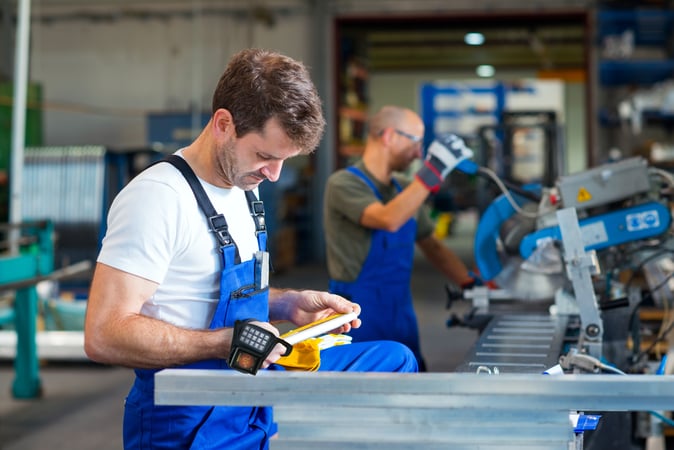
The second family puts the same sensing and reasoning on or around the worker. Instead of replacing a person, the system becomes a co-worker: it sees what the worker sees, knows the next step and catches an error before it leaves the station. This matters because high-mix work such as assembly, picking, kitting, inspection and maintenance still depends on human hands and judgment, and it will for a long time.
For most operations the two families are complementary. Robots take on the predictable flows; people, supported by wearable and camera-based AI, handle the variability.
Why physical AI is happening now
- Edge computing is small enough to wear. Models that once needed a server can run on a device that fits on a hand or a belt, with no round trip to the cloud.
- Models understand more than one signal. Vision, speech and motion can now be combined, so a system can follow a task rather than a single scan.
- Connectivity is industrial. Wi-Fi 6E, Bluetooth and private 5G make it practical to keep devices and systems in sync across a site.
- The workforce question is urgent. Training new people quickly and keeping quality stable across shifts is a daily challenge, and guidance at the point of work shortens the learning curve.
Where physical AI pays off on the frontline
- Picking and fulfillment: confirming the right item and quantity at the shelf, with hands free.
- Assembly: verifying the part and the step sequence at the station instead of at end-of-line.
- Quality inspection: photo-based checks with an evidence record for every unit.
- Safety: warning a person about a forklift, a restricted zone or missing protective equipment in time to react.
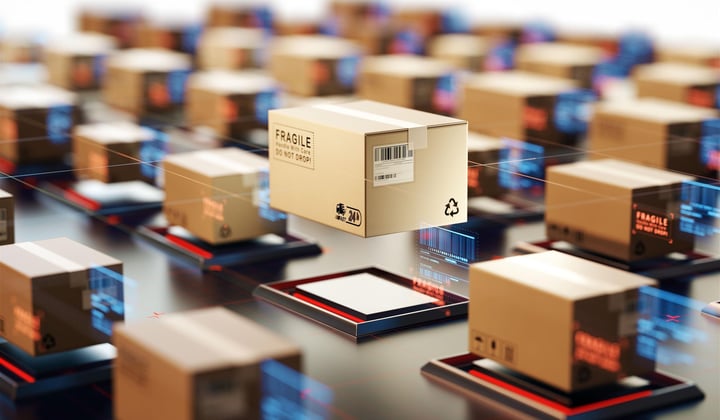
- Shipping and returns: matching what physically leaves or arrives with what the system expects.
Camera-based platforms such as TIM INSPECT cover many of these cases by turning fixed cameras or wearable cameras into verification points that write their results to SAP, MES, PLC or WMS.
A worked example: TIM AXION
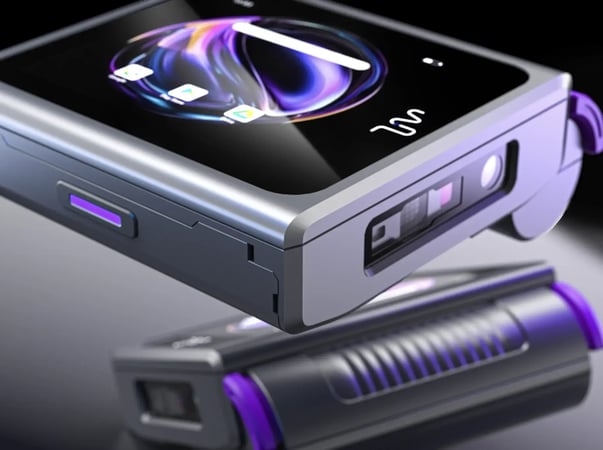
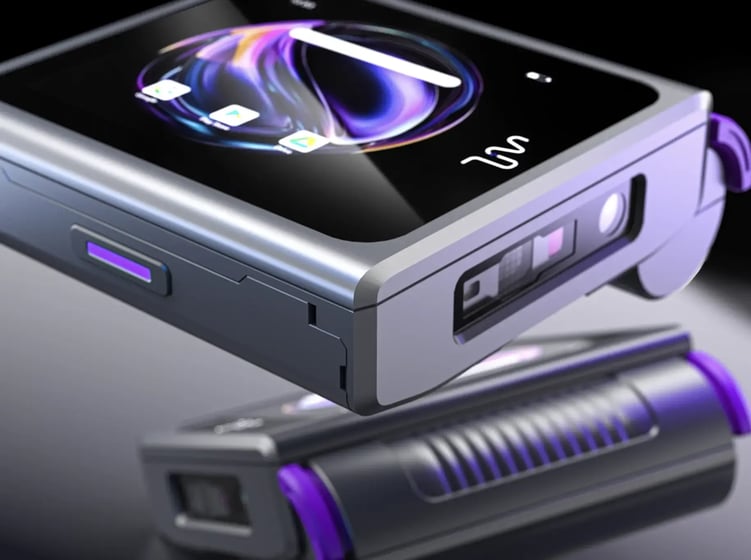
TIM AXION is a wearable computer built around this idea of physical AI for people. It is worn on the hand as a glove module or carried on the belt, and it combines vision, voice, motion and location sensing. Its AI engine processes voice, vision and motion on the device, which keeps latency low and keeps operational data on site.
In practice AXION recognizes what the worker is handling, hears the intent of a spoken command over background noise, and responds with haptic, sound and light feedback or a glance at its AMOLED display. Snap-on modules such as keypad, RFID and NFC add only what a task needs, a hot-swappable battery keeps it running through the shift, and it connects to SAP, Oracle, WMS and other enterprise systems. When paired with TIM INSPECT, AXION can return a vision decision to the worker in about 1.5 seconds per operation.
How to start with physical AI
- Pick one costly error. A wrong part, a wrong pallet, a skipped step. Start where a mistake is expensive and easy to measure.
- Map the moment of work. Where is the worker, what is in their hands, which system holds the expected value?
- Choose the sensor position. Fixed cameras suit stations with a clear view; wearables suit tasks where the hand goes where a camera cannot.
- Close the loop. Make sure the result is written back to the system of record, not just shown on a dashboard.
- Measure and scale. Compare error rate and task time before and after, then extend to similar stations.
FAQ
What is physical AI in simple terms?
It is AI that works in the physical world. It uses sensors to see and hear what is happening, decides what should happen next and then moves a machine or guides a person to do it.
Is physical AI the same as robotics?
No. Robotics is one form of physical AI. Wearable devices and camera systems that guide and verify human work are another, and in labor-intensive operations they are often the faster route to results.
Does physical AI replace frontline workers?
In human-centered applications the goal is the opposite: to give workers the right information at the right moment, catch errors early and make new staff productive faster.
Why does physical AI need edge processing?
Decisions must keep pace with the work. Processing on or near the device avoids network delays and keeps camera and voice data inside the facility.
Next step
If you want to see what physical AI could look like on your own line or in your warehouse, you can request a demo and we will walk through a real workflow with you.